


Skins & Avatars Clothes Maker
3.9520.00 Reviews
App Specs
- Version
- 1.2.0
- Updated On
- License
- Free
- Downloads
- 5,000,000+
- Developer
- Pixelvoid Games Ltd
- Categories
- Tools
- Platform
- Android
Screenshots
 Analysis by AppCompare
When I try a clothes-design app for the first time, I want to know what I can make, how quickly I can produce something I like, and whether that creation will be useful beyond the editor. Skins & Avatars Clothes Maker is aimed at people who want to shape a character’s look, rather than at anyone seeking a full illustration studio or a complete game-building toolkit. I’d approach it as a casual creative tool: start with one outfit idea, learn how the editor handles it, and decide from there whether you want to spend more time refining your style.
What to expect from a clothes-focused editor
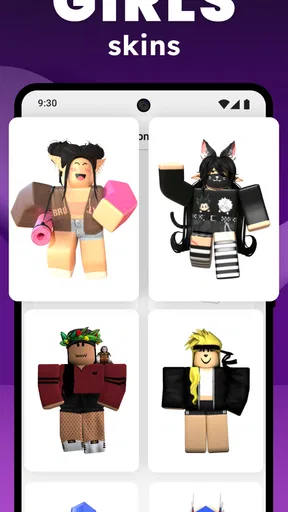
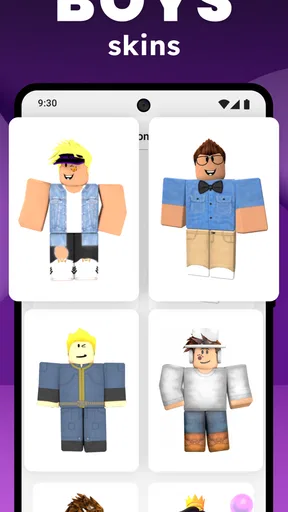
The app is a free tool from Pixelvoid Games Ltd, and its central appeal is straightforward: making clothing and character looks for boys and girls. Its average rating is 4.0 from around 19,000 ratings, with roughly 5 million installs, so it has found an audience among people interested in avatar customization. That popularity is useful context, but it doesn’t guarantee that every design workflow will suit you; what matters most is whether you enjoy working with the editor’s options and the kind of results it lets you make.
I’d set expectations around experimentation, not professional garment design. This is the sort of app I’d open when I have a character in mind and want to try several outfit directions without drawing every part from scratch. A bold color combination, a more relaxed everyday look, or a fantasy-inspired idea can all be useful starting points. The fun is in comparing possibilities and making the character feel more personal, rather than expecting a detailed fashion-design pipeline.
It is rated for Everyone, which makes it approachable for a broad audience, including younger users exploring character design. That doesn’t mean every person will find the controls obvious straight away. A child, a parent, or an adult who has never used an avatar editor may need a little time to work out what each choice changes. I’d treat the first session as play and discovery rather than a test of artistic skill.
Make the first session feel manageable
On Android, the app requires version 6.0 or later, and it is currently at version 1.2.0. Once it’s installed, I’d avoid trying to build a complicated outfit immediately. Begin with one clear goal: choose a general look for the character, then focus on the main clothing pieces before getting distracted by small details. A simple target gives you a way to judge whether the editor is comfortable to use.
For a first attempt, decide on a short visual brief before you start. For example, you might want a character who looks ready for a casual day out, or one whose colors suggest a mysterious fantasy setting. Keeping the brief to a mood and a couple of colors helps prevent endless switching between unrelated ideas. I find that this kind of constraint makes a creative app easier to learn because each edit has a purpose.
It also helps to work from large choices to small ones. Settle on the overall outfit direction first, then adjust colors or patterns, and only then spend time polishing individual elements. If a design feels messy, undo the last change or return to the simpler version you preferred instead of adding more detail to fix every mismatch. That small habit can save a first-time user from turning a promising outfit into a collection of competing ideas.
Worth Reading Before You Choose

EA SPORTS FC Mobile 26 Is a Bigger Football Game, but It Takes Time

Flipboard Shows What News Apps Must Do Beyond the Feed

Switching to Android Auto Means Rethinking Your Driving Routine

Google Calendar Makes a Crowded Week Easier to Manage

Ludo King Makes the Most of the Minutes Between Plans

Baby Panda World Brings Quick Play to Modern Phones, but Its Game Library Feels Busy
Getting to a first design you can judge
The first meaningful success doesn’t have to be a perfect skin. It can be a character whose clothing communicates one clear idea, even if you still want to improve it later. I’d make one complete, uncomplicated outfit, pause, and look at it as a whole. If the pieces feel as though they belong together, you’ve learned more about the editor than you would by tapping through every option without a plan.
After that, try a controlled variation: keep most of the outfit the same and change one element, such as the color direction or the style of a clothing piece. Comparing two versions makes it easier to see what a particular edit contributes. It’s also a practical way to develop a personal preference, especially if you’re making designs for a character you use often or showing ideas to a friend.
A realistic use for the app might be a short creative break after school or work. You have ten minutes and want to give a favorite avatar a different look, so you choose a theme, build a simple outfit, and compare it with your usual style. That is a better first-session goal than trying to create a whole wardrobe at once. If you enjoy the process, you can return later with a new theme rather than feeling that the first visit has to produce a finished collection.
Using the editor, sharing ideas, and knowing its limits
I’d use the next part of the review to look at how the editor can support a more deliberate design process, from testing a small set of visual choices to deciding whether a finished outfit has a purpose beyond the app. It also considers where sharing can be useful and where expectations should stay practical, especially when a design is meant for another game.
Where the creative appeal comes from
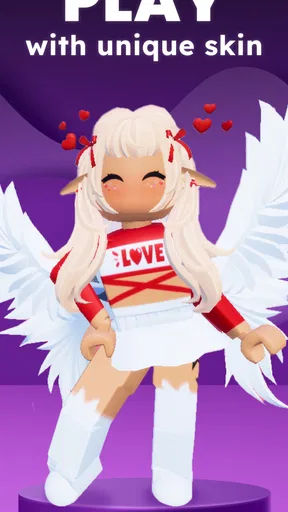
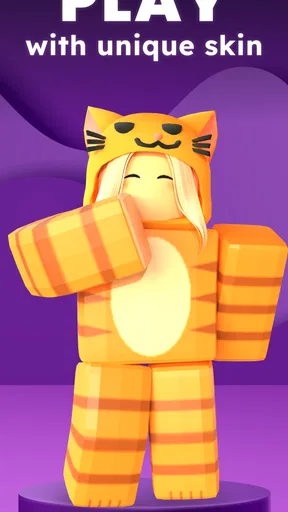
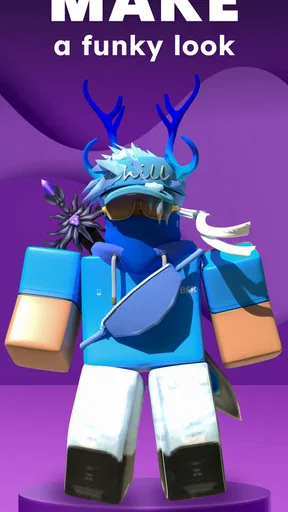
The first thing that struck me about Skins & Avatars Clothes Maker is how it opens up a world of possibilities. Right from the get-go, you're equipped with a host of tools to create unique and personalized outfits for your avatars. Whether you're into futuristic armor, casual streetwear, or fantasy-inspired garments, this app has got you covered.
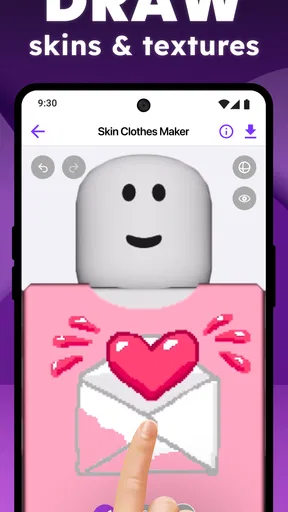
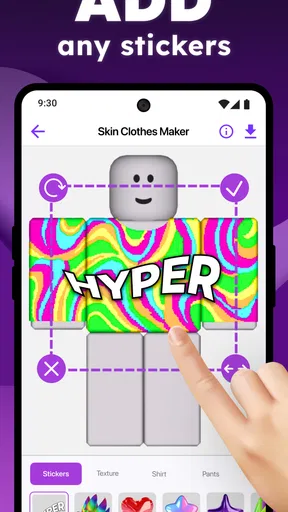
It's all about expression. You can mix and match colors, textures, and styles to craft something truly one-of-a-kind. The interface is pretty intuitive, allowing you to drag, drop, and tweak designs with ease. I found myself spending hours experimenting, trying to find that perfect look for my avatars.
For a more useful workflow, I’d keep a little mental record of what makes a design work: perhaps a restricted palette, a strong contrast between pieces, or a repeated pattern. Then use that observation as a rule for the next outfit. This is more helpful than chasing every available option, because it turns random experimentation into a small design process. It can also make it easier to recreate a look later if you want a matching outfit for another character.
Materials, previews, and the details worth checking
One of the standout features is the extensive library of materials and templates. Whether you're starting from scratch or modifying an existing design, the app provides a wealth of options to get your creative juices flowing. The range of patterns and accessories is impressive, and it's clear that the developers put a lot of thought into what users might want.
Another aspect I really appreciated is the real-time preview. As you make changes, you can instantly see how they look on your avatar, making it super easy to experiment without any hassle. Plus, the app supports both 2D and 3D views, which is a nice touch for those who want a more immersive editing experience.
Those views are most useful when treated as different checks, rather than interchangeable ways to look at the same thing. I’d use the 2D view to inspect the design itself and notice details that might be easy to miss at a glance, then switch to 3D to see whether the overall outfit reads well on the character. If something seems attractive in a flat view but awkward on the avatar, that’s a good reason to simplify or adjust it before calling the design finished.
Templates can help you get moving, but I wouldn’t let them decide the whole look. Use one as a starting point, then change a few choices that matter to your theme. That balance gives you a quicker route to a coherent result while still leaving room for personal style. When you’re unsure whether to add another accessory or pattern, preview the outfit without it first; a cleaner design can be stronger than one with every available detail.
Sharing and taking a design beyond the editor
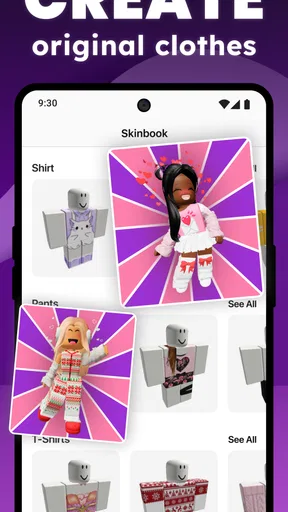
Once you've crafted your masterpiece, what's next? Sharing it with the world, of course! The app has built-in social sharing features, so you can easily show off your creations to friends or fellow designers. There's a community aspect here that's pretty engaging – you can browse others' designs, draw inspiration, or simply admire the creativity on display.
In addition to sharing, you can also import your designs into compatible games, giving your avatars a fresh new look. It's a neat way to bring your designs to life beyond the app, and it adds another layer of enjoyment for gamers.
I’d check compatibility before investing a long session in a design meant for a particular game. “Compatible” is the important word here: a creation made in an editor does not automatically fit every game or avatar system. If your goal is to use the outfit elsewhere, make that the first thing you investigate, then spend time polishing a design that has a clear destination. If you mainly want to show ideas to friends, sharing the finished look is a simpler goal than planning around a game you have not checked.
Browsing other people’s creations can be useful as a source of ideas, but I’d use it to study choices rather than copy a complete look. Notice how a design uses a limited set of colors or how one accessory changes its mood, then apply that lesson to your own character. This keeps the community element connected to making something personal, instead of turning the editor into a feed you scroll through without creating anything.
Common first-time snags and practical trade-offs
While I thoroughly enjoyed my time with the app, there are a few areas that could use a bit of polish. For one, the learning curve might be a tad steep for complete newbies. A more comprehensive tutorial or help section would definitely be welcome to guide first-time users through the process.
Additionally, while the app runs smoothly on most devices, there were occasional slowdowns, especially when dealing with particularly intricate designs. Hopefully, future updates will address these performance hiccups.
If you notice a slowdown, try reducing the amount of detail you’re adjusting at once and check the design after each change. This is a sensible way to keep the process easier to follow as well as less demanding during a complex edit. It also makes it clearer which choice caused an unwanted result, so you can backtrack without having to rethink the entire outfit.
Lastly, while the base app offers plenty of free content, some premium features and assets are locked behind in-app purchases. While this is pretty standard, it might be a bit limiting for those who want the full experience without spending extra.
The app is free to download, with in-app purchases ranging from around $4 to $40 per item. I’d spend time with the available free options before buying anything, especially if you are still learning what kinds of designs you enjoy making. A paid asset is only worthwhile if it fills a specific gap in your workflow; it is easy to mistake a larger selection for a better result when a clear theme and a few well-chosen elements often do more.
Compared with a general drawing app, this editor is more focused on clothing and avatar presentation, so it can feel like a quicker place to explore outfit ideas than a blank canvas. A drawing app is the better choice if you want complete control over every line, custom illustrations, or artwork unrelated to character clothes. Compared with simply choosing outfits inside a game, this app gives you a separate space to experiment, but the game’s own editor may be the more direct option if all you need is a look that works in that one game.
Who will enjoy it, and when I’d choose something else
I can see this being a good fit for someone who likes dressing characters, testing visual themes, or making designs to share with friends. It is also a low-pressure way for a beginner to explore how color and clothing choices change a character’s personality. You don’t need to arrive with a polished concept; a small idea is enough to get started, and the process can help you decide what you like.
I’d be more cautious about recommending it to someone who expects a guided, step-by-step design course or a professional tool with precise control over every garment detail. A first-time user may have to learn through trial and error, and people who want guaranteed compatibility with a particular game should check that their intended use is supported before building a detailed outfit. If you prefer drawing freely from a blank page, a general art app will likely be a better match.
Parents choosing it for a younger creator can make the first session easier by agreeing on a simple project, such as one character and one outfit idea, rather than leaving the child to explore every option at once. The Everyone age rating makes the app broadly accessible, while the presence of optional purchases is still worth keeping in mind when deciding how it fits into a family device. That small bit of planning keeps the focus on creating and avoids treating every locked item as necessary.
Final thoughts
All in all, Skins & Avatars Clothes Maker is a delightful tool for anyone who loves to design and customize. It's not just an app; it's a canvas for your imagination. Whether you're a seasoned designer or someone looking to dabble in virtual fashion, there's plenty here to keep you entertained.
As with any creative tool, the more you put into it, the more you'll get out. So, dive in, explore the possibilities, and let your creativity shine. Who knows? You might just create the next big trend in avatar fashion!
Pros
- Extensive wardrobe selection for customization.
- User-friendly interface
- easy to navigate.
- Frequent updates with new clothing items.
- High-quality graphics and design elements.
- Compatible with both Android and iOS devices.
Cons
- Limited free options; many items are paid.
- Occasional lag on older devices.
- In-app purchases can be pricey.
- No offline mode available.
- Some customization features are locked at start.
FAQs for Skins & Avatars Clothes Maker
What is Skins & Avatars Clothes Maker and how does it work?
Skins & Avatars Clothes Maker is a mobile app designed for customizing skins and outfits for avatars in various games. It provides a user-friendly interface that allows users to design unique clothing and accessories for their virtual characters. Once designed, these items can be exported and used in supported games, enhancing the gaming experience with personalized aesthetics.
Is Skins & Avatars Clothes Maker compatible with all games?
While Skins & Avatars Clothes Maker supports a wide range of popular games, it may not be compatible with every game on the market. Users should check the app’s compatibility list or the game’s specific requirements to ensure that their customized skins and clothes can be successfully integrated. Updates often expand compatibility, so it’s worth checking regularly.
Are there any costs associated with using Skins & Avatars Clothes Maker?
The app offers a free version with basic features, allowing users to create and customize simple skins and outfits. However, to access advanced tools, exclusive materials, and more intricate design options, users may need to purchase a premium subscription. This can enhance creativity and provide a broader range of design possibilities.
How secure is Skins & Avatars Clothes Maker in terms of user privacy?
The app is designed with user privacy in mind, adhering to standard data protection protocols. It collects minimal personal data, primarily for account creation and app functionality. Users should review the privacy policy for detailed information on data handling and ensure they are comfortable with the terms before downloading.
Can I share my creations from Skins & Avatars Clothes Maker with others?
Yes, the app allows users to share their custom skins and outfits directly from the platform. This can be done via social media or through direct links. Sharing not only showcases creativity but also allows other users to download and use these unique designs, fostering a community of creative collaboration.


